Part of the guide: Claude video editing: what works today and how to start
CapCut for PC: official download, system requirements and desktop vs web
 Written by Jeff Pascal · Updated · 5 minute read
In short
- CapCut has an official desktop app for Windows and Mac. It's a free download from capcut.com; you don't need an Android emulator or an APK.
- Requirements on the official page: Windows 7 or later (Windows 10 recommended) or macOS 10.14 or later.
- CapCut also runs in the browser with a free account, but some tools, such as Auto Cut, are only in the desktop and mobile apps.
Yes, there's an official CapCut for PC. It's a free desktop app for Windows and macOS that you download from capcut.com, and it needs Windows 7 or later (Windows 10 recommended) or macOS 10.14 or later. CapCut also runs in the browser if you don't want to install anything.
Some guides still tell you to run the Android app in an emulator. You don't need to: the desktop app is the official way to use CapCut on a computer.
Desktop app, web editor or phone: which one
| Desktop app | CapCut Online (browser) | Phone app | |
|---|---|---|---|
| Install | Download from capcut.com | None, sign in with an account | App store |
| Systems | Windows 7+ (10 recommended), macOS 10.14+ | Any computer with a browser | iOS, Android |
| Auto Cut (pauses, beats) | Yes | Not supported | Yes |
| Best for | Weekly editing, long clips, precise cuts | Quick edits on a borrowed computer | Editing on the go |
From the official CapCut pages, checked on 18 November 2026. Features move between versions, so if you need one tool in particular, check it in your version before you move all your work.
How to download CapCut for PC safely
Go to the CapCut desktop page on capcut.com and click "Download for free". The installer lands in your Downloads folder.
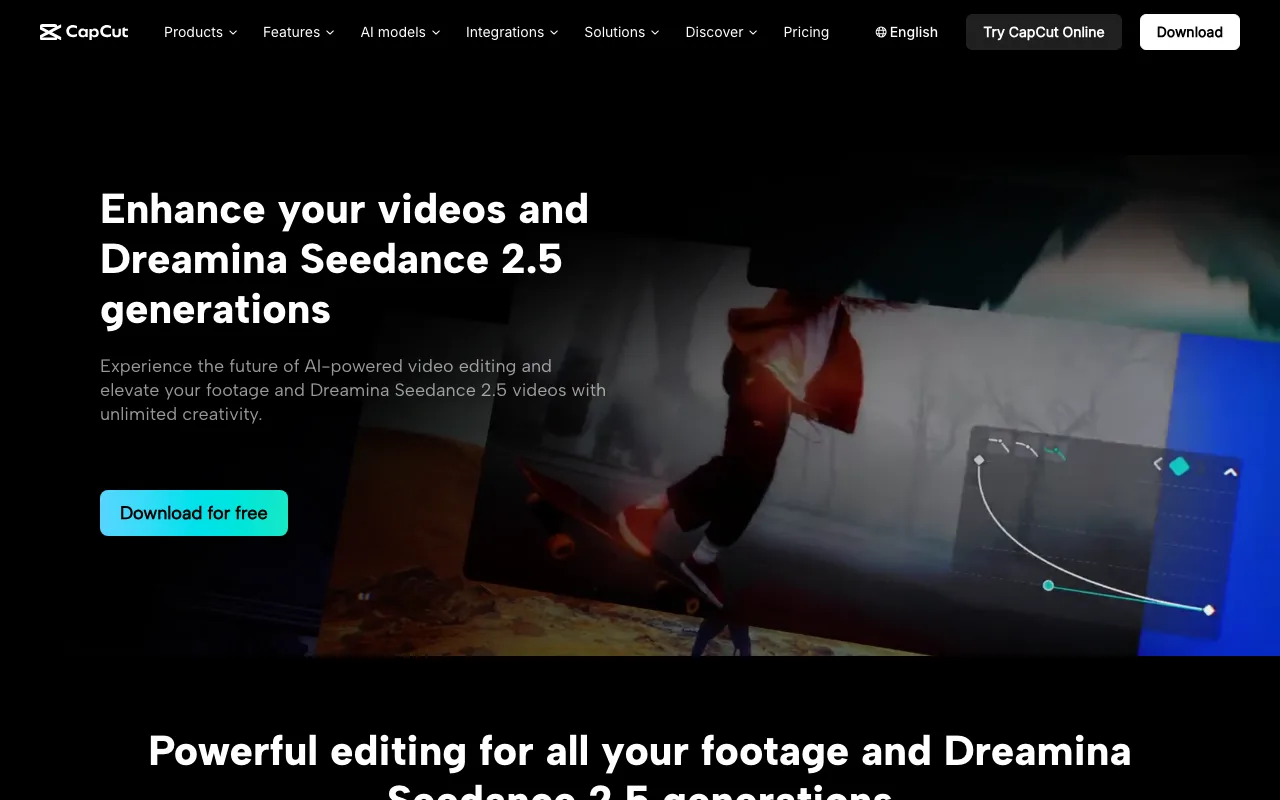
The CapCut desktop page: the “Download for free” button gets the app for your system. Screenshot: jeff.ro, 17 November 2026, capcut.com/tools/desktop-video-editor. CapCut is a trademark of ByteDance. Check the address bar before you click. It should read capcut.com. Third-party download sites and "Pro unlocked" builds are not from CapCut, and you can't know what else they install.
Run the installer and follow the steps. CapCut appears in your Start menu or Applications folder.
Sign in with the same account you use on your phone if you want your cloud projects.
Your first project on a PC
- Move the footage from your phone with a cable or a cloud folder. A cable is safest for long clips, and messaging apps often compress video. Details in editing video on a laptop or a phone.
- Create a new project and drag the file into the CapCut window, then onto the timeline.
- Play the start, the middle and the end to check it imported in full.
- Add captions: the official page describes "Text", then "Auto captions", then "Generate". Read the text and fix wrong words. The full method is in how to add captions to a video.
- Export a test and open the exported file on your phone. If it looks and sounds right there, your setup works.
What's easier on a computer
- You see the whole timeline at once instead of scrolling.
- You cut precisely, picking an exact frame with the mouse.
- Keyboard shortcuts are faster than taps.
- Captions are easier to proofread on a big screen.
- Desktop-only depth: the official desktop page lists keyframes and graphs, and you can edit by transcript ("Transcript-based editing" from the right-click menu on the clip).
What doesn't change: weak sound stays weak, and you still decide the cuts. The Reel format is the same on every device; see Instagram Reel size and format.
If it doesn't work
- Your phone projects don't show up. Check you signed in with the same account. If they still don't appear, you lose nothing: move the original footage and edit it on the PC.
- Your computer is older than the requirements (before Windows 7 or macOS 10.14). Use CapCut Online in the browser.
- You need AI editing beyond what CapCut does, such as batch cuts from a written request. See AI video editing on Windows for the other tools that run on a PC.
If you'd rather tell Claude what you want from the clip than work on a timeline, CreaThor EDIT is the video editing course I run with Mihai Repede (taught in Romanian). You edit your own clips with Claude on your laptop: the kit cuts the mistakes and pauses and adds the captions, and you check the result. You need a paid Claude plan.
Choosing between kinds of editors is in video editing software for beginners, and using CapCut and Claude together is in Claude and CapCut together. The full method is in the Claude video editing guide.
Questions
Is there an official CapCut for PC?
Yes. CapCut offers a desktop app for Windows and macOS on capcut.com, with a "Download for free" button. You don't need an Android emulator.
Is CapCut for PC free?
The app is a free download, and the official pages describe auto captions and the online editor as free. Some features may need a paid plan; the app shows which before you use them.
What are the CapCut PC system requirements?
The official desktop page lists Windows 7 or above, with Windows 10 recommended, or macOS 10.14 or above. It doesn't list RAM or graphics card minimums.
Should I use the CapCut desktop app or the web version?
The web version needs no install and works from any computer after you sign in. The desktop app has more tools: Auto Cut, for example, is only in the desktop and mobile apps. If you edit every week, install the app.
Can I continue a phone project on my PC?
Projects saved to your CapCut cloud space open from other devices when you sign in with the same account. If one doesn't show up, move the original footage to the PC and import it.
Sources
- capcut.com: CapCut desktop: "Download for free"; Windows 7 or above, with Windows 10 recommended; macOS 10.14 or above; auto captions, keyframes and graphs, aspect-ratio reframing, checked 18 November 2026
- capcut.com: CapCut Online: a video editor in the browser; sign up or sign in to launch your workspace; free templates and assets; cloud storage, checked 18 November 2026
- capcut.com: CapCut: auto captions from "Text", "Auto captions", "Generate", checked 18 November 2026
- capcut.com: CapCut Auto Cut: available on Mobile and Desktop, not supported on CapCut Web; on desktop the "AI" button or Edit, AI Tools, Auto Cut, checked 18 November 2026
- capcut.com: CapCut: "Transcript-based editing" from the right-click menu on the timeline clip, checked 18 November 2026
- capcut.com: CapCut desktop: projects in your Space open from other devices, checked 17 November 2026
Free WhatsApp communities · Jeff x CreaThor
Editing video with AI? Ask in the community.
In “Team of One” I share what I test on real work with AI (mostly in Romanian, ask in English any time). For video workflows, filming and short-form clips, join the Creathor Academy 2026 community (Jeff x CreaThor).