Part of the guide: What is Claude Code? What it does, what it costs, and how to start
Claude Code desktop vs CLI: which one should you use?
 Written by Jeff Pascal · Updated · 5 minute read
In short
- The Claude Code desktop app (the Code tab in the Claude app) and the terminal CLI run the same engine and read the same settings and CLAUDE.md files.
- Pick the desktop app if you do not use a terminal, want to review changes visually or run several sessions side by side. Pick the CLI for scripts, automation, every permission mode and agent teams.
- You can use both, even on the same folder. In the terminal,
/desktopmoves the current session into the app. - Both need the same paid Claude plan (starting with Pro, checked 18 November 2026).
Claude Code desktop and the Claude Code CLI run the same engine. The desktop app (the Code tab inside the Claude app) gives you buttons, a visual diff of every change and several sessions side by side, with no terminal. The CLI runs in a terminal and adds scripting, automation, every permission mode and agent teams. If you do not use a terminal, start with the desktop app; if you want to automate, use the CLI. You can switch at any time.
Checked on 18 November 2026 against Anthropic's desktop documentation. What Claude Code is, in plain words: what is Claude Code.
The quick decision
| Your situation | Pick |
|---|---|
| You have never used a terminal | Desktop |
| You want to see each change side by side and click to approve | Desktop |
| You want several sessions open in one window | Desktop |
| You want to attach images or PDFs to a request | Desktop |
| You follow tutorials written for the terminal | CLI |
You want to run Claude Code from a script, a scheduled job or CI (--print) |
CLI |
| You use Amazon Bedrock, Google Cloud or Microsoft Foundry directly | CLI (Desktop uses Anthropic's API by default) |
| You work on Linux and want a stable app | CLI (the Linux desktop app is in beta) |
Anthropic's own summary: use Desktop to manage parallel sessions in one window, arrange panes and review changes visually; use the CLI for scripting, automation, or if you prefer a terminal.
What is the same
- The engine. Both read your files, edit them and run commands the same way.
- Your setup. CLAUDE.md and CLAUDE.local.md files, skills, hooks, MCP servers and
~/.claude/settings.jsonapply in both. What a CLAUDE.md is: what is CLAUDE.md. - The models. The same models are available in both.
- The account. The same paid Claude plan works in both.
What is different
From the official feature comparison:
| Feature | CLI (terminal) | Desktop app |
|---|---|---|
| Permission modes | All, including dontAsk |
Manual, Accept edits, Plan, Auto (Bypass if enabled) |
| Reviewing changes | Text in the terminal | Diff view, panes you arrange |
| File attachments | Not available | Images, PDFs |
| Several sessions | Separate terminal windows | Tabs in the sidebar |
| Recurring tasks | Cron jobs, CI pipelines | Scheduled tasks |
| Scripting and automation | --print, Agent SDK |
Not available (interactive only) |
| Agent teams | Yes | No |
| Computer use (controlling apps) | macOS, via /mcp |
macOS and Windows |
| Plugins | /plugin command |
Plugin manager |
One detail that surprises people: the Code tab runs its own copy of Claude Code, which the desktop app downloads and updates. Its version can differ from the claude command in your terminal, and updating one does not update the other.
Start with the desktop app
Download the Claude app from claude.com/download and install it. On a Mac it is one universal build for Intel and Apple Silicon; on Windows there are x64 and ARM64 installers.
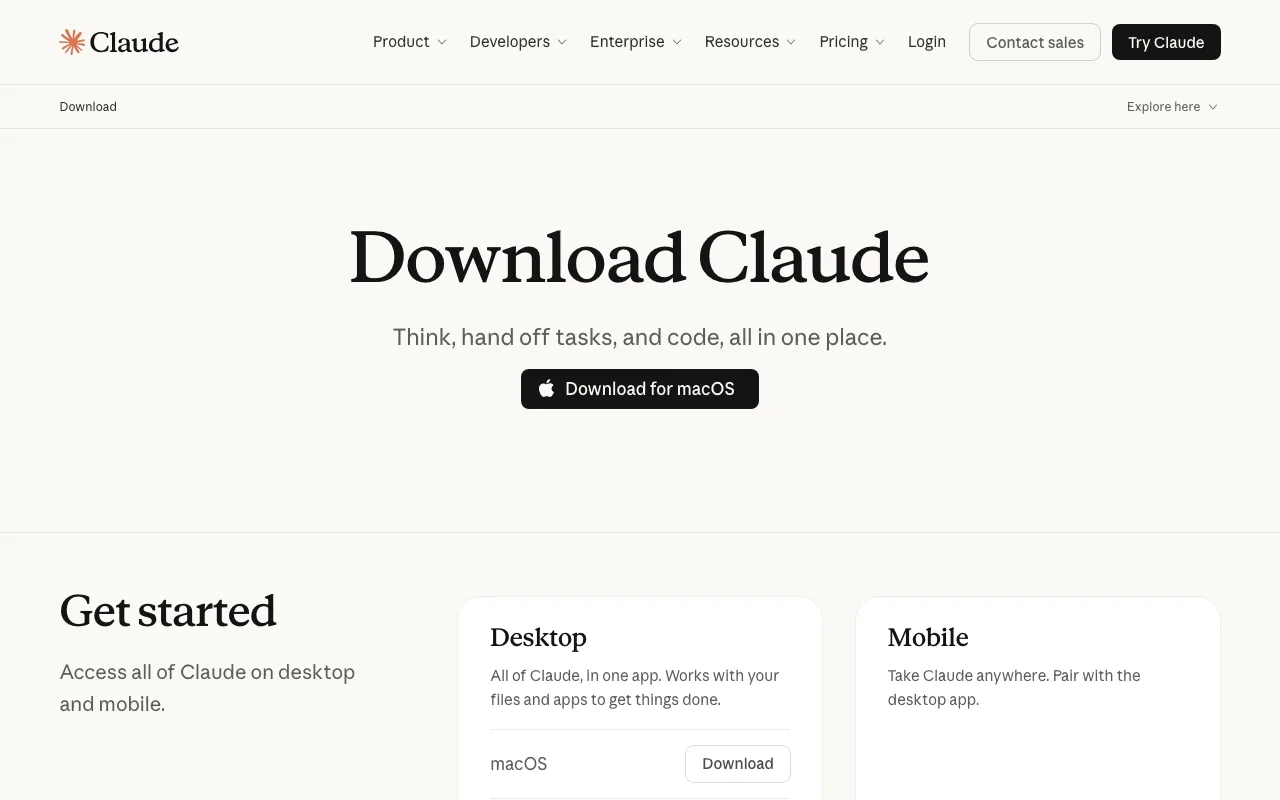
The desktop app download page: the “Download” button picks the version for your system, here macOS. Screenshot: jeff.ro, 17 November 2026, claude.com/download. Claude is a trademark of Anthropic. Open it and sign in with your Claude account.
Click the Code tab at the top of the sidebar. If it asks you to upgrade, your account does not have a paid plan yet.
In the row under the prompt box, choose the Local environment, then Open folder… and pick a test folder.
In the same row, set the permission mode to Manual for your first sessions, so Claude shows each change and waits for you.
Type "what files are in this folder?" and press Enter.
You do not need to install Node.js or the CLI to use the Code tab. The official walk-through with screenshots is the desktop quickstart.
Start with the terminal
- Open Terminal (Mac) or PowerShell (Windows).
- Run the install command for your system from the official setup page. Step-by-step guides: Mac, Windows.
- Open a new window and check with
claude --version. cdinto your test folder and typeclaude. Sign in when the browser opens.- Ask the same first question. The rest of a first session: Claude Code tutorial for beginners.
Moving between the two
- Terminal to desktop: type
/desktopin a running session. Claude saves it, opens it in the app and closes the terminal session. From your shell,claude --desktopopens the app on the current folder (version 2.1.285 or later). Both work on macOS and x64 Windows, signed in with a Claude subscription. - Desktop picks up a terminal session: close it in the terminal, then type
/resumein the desktop prompt box and choose it from the list. - Desktop session in the terminal:
claude --resumein the terminal still finds a session you continued in the desktop app.
And the VS Code extension?
Claude Code also runs inside VS Code and JetBrains IDEs. If you already spend your day in one of those editors, that is the third option: you see Claude's changes where you edit code. Anthropic says it reads the same settings files as the CLI and the app. If you are comparing Claude Code with AI editors such as Cursor, see Claude Code vs Cursor vs Codex.
If it does not work
- The Code tab asks you to upgrade: your account has no paid plan. Choose one at claude.com/pricing and restart the app.
- A 403 error in the Code tab: see the official authentication errors section.
claudeis not found in the terminal: open a new window and try again; more in Claude Code not working.
How you know it works
You are set up when, in the one you chose, you see your test folder's name (in the app next to the prompt box; in the terminal above the input line) and Claude lists the files in it correctly.
Once your test folder shows up, the real question is what to try next. I run a free WhatsApp community called Team of One, where readers compare notes as they learn to do more with AI.
Questions
Is Claude Code desktop the same as the CLI?
It runs the same engine with a graphical interface. Both read the same CLAUDE.md files, skills, hooks and settings. The differences are in the interface and in a few features: scripting and agent teams are CLI only; file attachments, visual diffs and scheduled tasks are in the desktop app.
Is the desktop app free?
The app is free to download, but Claude Code in its Code tab needs a paid plan: Pro, Max, Ultra, Team or Enterprise.
Can I use both on the same computer?
Yes, even on the same folder at the same time. Each keeps its own session list. In the terminal, /desktop opens the current session in the app (macOS and x64 Windows, signed in with a Claude subscription).
Does the desktop app work on Linux?
The Linux desktop app is in beta (apt or .deb for Ubuntu and Debian). The CLI runs on Ubuntu 20.04+, Debian 10+ and Alpine 3.19+.
What about the VS Code extension?
It is a third way in, with Claude Code inside your editor. Like the desktop app, it reads the same settings files as the CLI.
Sources
- code.claude.com: Desktop: Code tab, pick a folder, review changes without a terminal; no Node.js or CLI needed; requires Pro, Max, Ultra, Team or Enterprise; macOS universal build, Windows x64 and ARM64, Linux beta, checked 18 November 2026
- code.claude.com: Desktop vs CLI: same engine; run both at once; shared configuration (CLAUDE.md, MCP, hooks, skills, settings); /desktop and claude --desktop; CLI flag equivalents; feature comparison table; Desktop is interactive only; agent teams CLI only; no inline code suggestions; the Code tab runs its own copy of Claude Code; when to use Desktop vs CLI, checked 18 November 2026
- code.claude.com: Claude Code surfaces: terminal, IDE extensions (VS Code, JetBrains), desktop app, web; the terminal, VS Code, JetBrains and desktop app read the same settings files, checked 18 November 2026
- code.claude.com: settings files: the terminal, the VS Code and JetBrains extensions and the desktop app read the same settings files, checked 18 November 2026
- claude.com: the Claude app download page: macOS, Windows, Linux (beta), checked 18 November 2026
- code.claude.com: terminal install commands; claude --version; system requirements; account types, checked 18 November 2026
- claude.com: Pro is the entry paid plan; the free plan does not include Claude Code, checked 18 November 2026
Free WhatsApp community
Learning AI? Learn it on real work.
In “Team of one” I post what I actually tried on my own work. Most of it is in Romanian, but ask in English any time and we will work it out together.
Join the community